From brochure site to lead engine
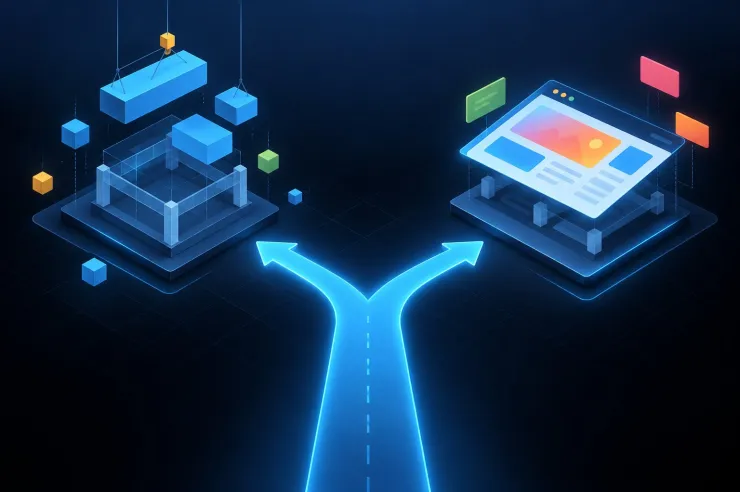
Your website looks great. It tells your story, showcases your work, and presents your services beautifully. There's just one problem: it's not generating leads at the rate your business needs to grow.
Many businesses treat their website as a digital brochure—a place to park information that might be helpful if someone already knows about you. But in reality, your website should be your hardest-working salesperson: qualifying leads 24/7, nurturing prospects automatically, and feeding your sales team a steady stream of qualified opportunities.
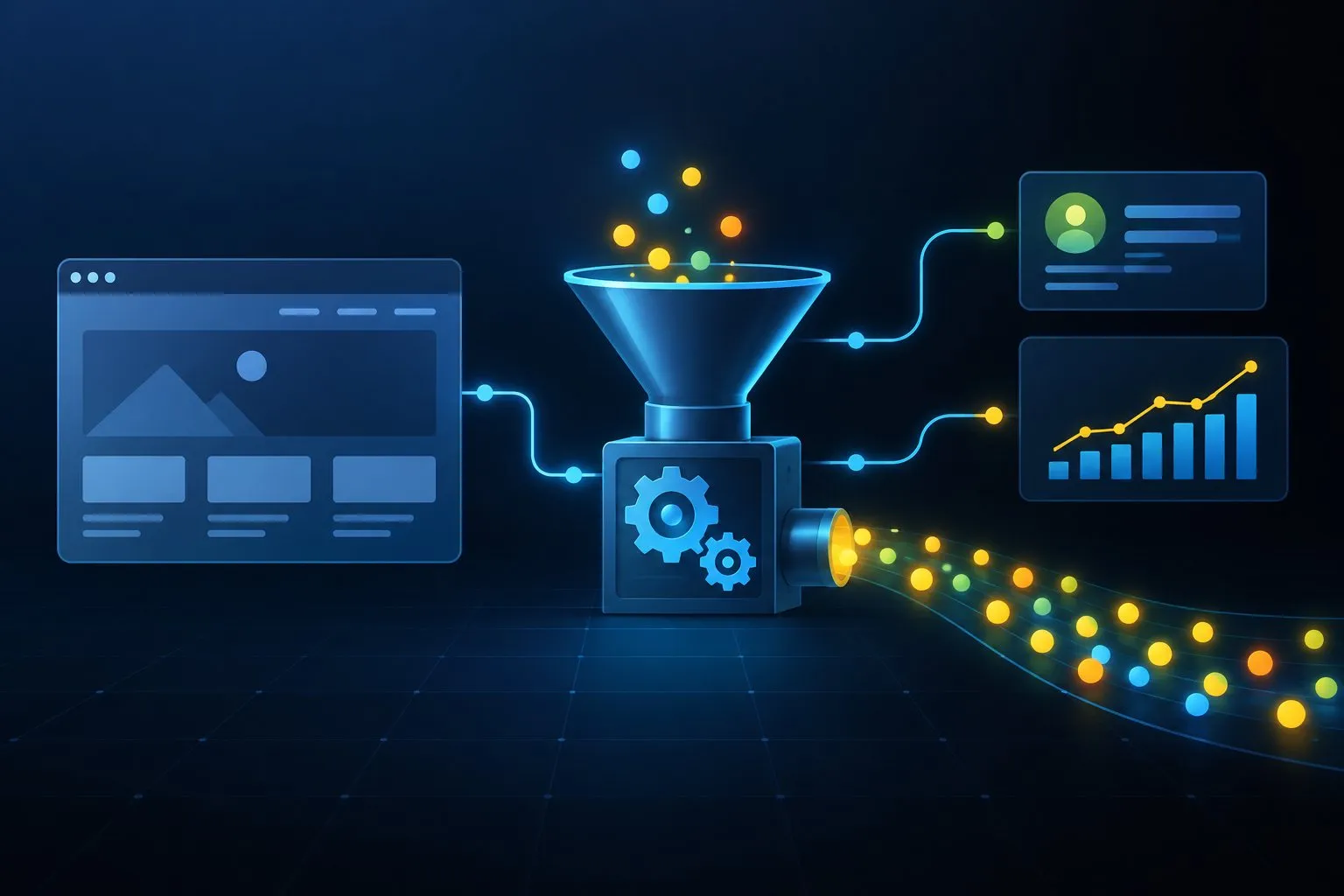
The difference between a brochure site and a lead engine isn't just strategy—it's technical architecture. By leveraging APIs, CRM integrations, marketing automation, and sophisticated analytics, you can transform your CMS from a content repository into a conversion platform.
Here's how.
The brochure site trap
What a brochure site looks like
You might have a brochure site if:
- Contact forms go into an email inbox and someone manually enters data into your CRM
- Analytics tell you traffic numbers but not which sources generate revenue
- Content is static with no personalization based on visitor behavior or segment
- Lead follow-up is manual and inconsistent, depending on who remembers to check the inbox
- You can't track the customer journey from first visit to closed deal
- Marketing and sales teams work from different data with no single source of truth
The hidden cost
This approach costs you:
- Lost leads: Delayed follow-up means prospects move on to faster competitors
- Wasted marketing spend: You can't optimize campaigns without knowing which channels drive conversions
- Inefficient sales process: Reps waste time on unqualified leads while hot prospects grow cold
- Missed opportunities: No way to re-engage interested visitors who didn't convert immediately
- Data blind spots: Strategic decisions based on gut feeling rather than data
The lead engine vision
What success looks like
A properly architected lead engine:
- Captures and qualifies leads automatically based on behavior and engagement
- Integrates seamlessly with your CRM so every lead, form fill, and interaction is tracked
- Personalizes content based on visitor segment, behavior, and stage in the buyer journey
- Triggers automated follow-up customized to the lead's interests and readiness
- Provides closed-loop analytics showing which marketing efforts generate revenue
- Enables account-based marketing with targeted content for specific companies or personas
- Scores leads automatically so sales focuses on the highest-potential opportunities
The business impact
Companies that make this transition see:
- 30-50% increase in lead volume from the same traffic
- 40-60% improvement in lead quality through better qualification
- 50-70% reduction in follow-up time via automation
- 2-3x better marketing ROI from optimizing based on revenue, not just traffic
- Faster sales cycles due to better-qualified, more-nurtured leads
The technical architecture
The core components
Transforming your site requires integrating several systems:
- Content Management System (CMS): The front-end experience—your Drupal or WordPress site
- Customer Relationship Management (CRM): Where leads live and deals are tracked—Salesforce, HubSpot, Pipedrive, etc.
- Marketing Automation Platform (MAP): Nurture sequences and behavior tracking—HubSpot, Marketo, Pardot, etc.
- Analytics Platform: Understanding behavior and attribution—Google Analytics 4, Mixpanel, Segment, etc.
- API Layer: The glue connecting everything together
How they work together
Here's the flow when a visitor becomes a lead:
- Visitor arrives via marketing campaign with UTM parameters
- Analytics tracks source, behavior, pages viewed, time on site
- Visitor fills out form (or takes other conversion action)
- API sends data to CRM and MAP simultaneously
- Lead is scored based on demographic and behavioral data
- Automation triggers personalized nurture sequence
- Sales is notified if lead score meets threshold
- Attribution connects lead back to original marketing source
- Closed-loop reporting shows which campaigns generate revenue
Building your lead engine: a phased approach
Phase 1: Foundation (weeks 1-4)
Goal: Clean data capture and CRM integration
Technical Implementation:
- Form optimization: Reduce friction, implement progressive profiling, add smart defaults
- Direct CRM integration: Use native integrations or APIs to send form submissions directly to your CRM
- Lead source tracking: Implement UTM parameter capture and cookie-based attribution
- Basic automation: Set up immediate notification emails and auto-responders
Tools & Technologies: - CRM APIs (Salesforce REST API, HubSpot API, etc.) - Form builders with native integrations (Gravity Forms + Salesforce, Webform + CRM modules) - Hidden form fields to capture UTM parameters and referral data - Webhooks for real-time data transmission
Drupal Approach:
Webform module → Webform CiviCRM/Salesforce module → CRM
+ Webform Custom Composite Elements for progressive profiling
+ Field encryption for sensitive data
+ Submission logging and error handling
WordPress Approach:
Gravity Forms/WPForms → Zapier/Native Integration → CRM
+ Conditional logic for dynamic form fields
+ Entry management and validation
+ GDPR compliance features
Expected Outcome: Every lead captured is immediately in your CRM with proper attribution. No more manual data entry.
Phase 2: Intelligence (weeks 5-8)
Goal: Lead scoring and qualification automation
Technical Implementation:
- Behavioral tracking: Monitor page views, downloads, video engagement, time on site
- Lead scoring model: Define point values for demographic and behavioral criteria
- Qualification workflows: Automatically route leads based on score, company size, or other criteria
- Data enrichment: Append firmographic data using Clearbit, ZoomInfo, or similar services
Tools & Technologies: - Marketing automation platform (HubSpot, Marketo, Pardot, ActiveCampaign) - Data enrichment APIs (Clearbit, FullContact, Hunter.io) - Custom tracking scripts or tag management (Google Tag Manager) - Progressive profiling forms
Implementation Pattern:
Website interaction → Tracking pixel → MAP
MAP calculates score → Triggers workflow based on threshold
If score > 70: Notify sales immediately
If score 40-70: Add to nurture campaign
If score < 40: Generic newsletter sequence
Lead Scoring Example: - Visited pricing page: +15 points - Downloaded case study: +10 points - Watched demo video: +20 points - Job title "VP" or "Director": +10 points - Company size 100-500 employees: +15 points - Return visit within 7 days: +10 points
Expected Outcome: Sales team focuses on leads most likely to convert, while marketing continues to nurture cooler prospects.
Phase 3: Personalization (weeks 9-12)
Goal: Deliver relevant content to each visitor segment
Technical Implementation:
- Audience segmentation: Define personas and journey stages
- Dynamic content blocks: Show different CTAs, testimonials, or offers based on segment
- Smart CTAs: Change calls-to-action based on lifecycle stage
- Personalized landing pages: Create variations for different campaigns or industries
- Content recommendations: "You might also like" based on behavior
Tools & Technologies: - CMS personalization modules (Drupal: Acquia Lift, Context; WordPress: If-So, Personalize) - A/B testing platforms (Optimizely, VWO, Google Optimize) - Content delivery networks with edge computing (Cloudflare Workers, Fastly VCL) - Recommendation engines (custom or third-party APIs)
Drupal Implementation:
User visits site → Check cookie/session for segment data
Query CRM API for known visitor data
Load content variations via Views + Context module
Render personalized blocks using Twig templates with conditional logic
Track engagement for further refinement
WordPress Implementation:
User visits site → Check cookie/session
If-So Dynamic Content plugin checks conditions
Display appropriate content blocks
Track interaction via Google Tag Manager
Send events to analytics and MAP
Personalization Examples: - First-time visitors: "Learn more about what we do" CTA - Return visitors: "Schedule a consultation" CTA - Existing customers: "Explore advanced features" CTA - Enterprise segment: Case studies from large companies - SMB segment: Pricing and ROI calculator
Expected Outcome: Conversion rates increase 20-40% because visitors see content relevant to their needs and stage.
Phase 4: Automation & nurture (weeks 13-16)
Goal: Automated, personalized lead nurture at scale
Technical Implementation:
- Trigger-based campaigns: Send emails based on specific actions or behaviors
- Drip campaigns: Timed sequences that educate and build trust
- Dynamic email content: Personalize email content based on recipient data
- Multi-channel orchestration: Coordinate email, retargeting ads, and website experience
- Lead lifecycle automation: Automatically move leads through stages based on engagement
Tools & Technologies: - Marketing automation platform workflows (HubSpot Workflows, Marketo Engagement Programs) - Email service providers with API access (SendGrid, Mailchimp, Constant Contact) - Retargeting pixels (Facebook, LinkedIn, Google Ads) - SMS/text messaging APIs (Twilio) for high-value leads
Campaign Architecture Example:
Download Trigger Campaign:
Lead downloads whitepaper
→ Immediate: Thank you email with resource
→ Day 3: Related blog post
→ Day 7: Case study showing results
→ Day 10: If opened case study: Sales outreach
→ Day 10: If didn't open: Additional educational content
→ Day 14: Webinar invitation or demo offer
Abandoned Form Campaign:
Visitor starts form but doesn't submit
→ Session cookie tracks partial completion
→ 1 hour later: Remarketing ad appears on Facebook
→ 24 hours later: Email reminder with incentive
→ 3 days later: Alternative offer (lower commitment)
Lifecycle Progression:
Subscriber → Lead → Marketing Qualified Lead (MQL) → Sales Qualified Lead (SQL)
Each transition triggered by score/behavior thresholds
Each stage has appropriate nurture content
Sales only engaged at SQL stage
Expected Outcome: Leads are nurtured automatically with relevant content until ready for sales conversation. Marketing ROI improves dramatically.
Phase 5: Analytics & attribution (weeks 17-20)
Goal: Close the loop from marketing spend to revenue
Technical Implementation:
- Multi-touch attribution: Credit multiple touchpoints in the customer journey
- Custom dashboards: Real-time visibility into lead flow and conversion metrics
- Revenue reporting: Connect marketing activities to closed deals
- Campaign ROI analysis: Calculate cost per lead and customer acquisition cost by channel
- Funnel analysis: Identify drop-off points and optimization opportunities
Tools & Technologies: - Analytics platforms (Google Analytics 4, Adobe Analytics, Mixpanel) - Business intelligence tools (Tableau, Looker, Power BI) - Attribution platforms (Bizible, DreamData, HockeyStack) - CRM reporting (Salesforce Reports & Dashboards) - Data warehouses (BigQuery, Snowflake) for complex analysis
Data Flow:
Website interaction → Google Analytics 4
Form submission → CRM with UTM data
CRM opportunity created → Linked to contact/lead
CRM deal closed → Revenue attributed to original source
BI tool connects all sources → Multi-touch attribution model
Key Metrics to Track:
- Traffic sources: Where visitors come from
- Conversion rate by source: Which channels convert best
- Lead velocity: How quickly leads move through funnel
- Sales cycle length: Time from first touch to close
- Customer acquisition cost (CAC): Total marketing + sales cost per customer
- Lead-to-customer rate: Percentage of leads that become customers
- Revenue by campaign: Which campaigns generate actual revenue
- Return on ad spend (ROAS): Revenue generated per dollar spent
Attribution Model Example:
First Touch: Discovered via Google organic search (30% credit) Middle Touches: Downloaded whitepaper, attended webinar, visited pricing 3x (40% credit distributed) Last Touch: Clicked LinkedIn ad before requesting demo (30% credit)
This shows that while the LinkedIn ad got credit for conversion, Google organic and content offers were crucial earlier.
Expected Outcome: Marketing makes data-driven decisions about budget allocation. Sales and marketing align on which campaigns drive revenue.
Real-world integration patterns
Pattern 1: HubSpot all-in-one
Best for: Small to mid-sized B2B companies wanting simplicity
Architecture: - WordPress or Drupal CMS - HubSpot for CRM, MAP, and analytics - HubSpot forms embedded on website - Native integration between CMS and HubSpot
Pros: - Single platform for marketing and sales - Easy setup and maintenance - Built-in reporting and attribution - Affordable for growing companies
Cons: - Less flexibility than best-of-breed approach - May outgrow HubSpot's capabilities at enterprise scale - Vendor lock-in
Implementation:
Install HubSpot plugin on WordPress/Drupal
Embed tracking code sitewide
Use HubSpot forms or integrate existing forms
Set up workflows in HubSpot
Connect to Google Analytics for additional insights
Pattern 2: Salesforce + Pardot + WordPress
Best for: Established B2B companies with sales teams already using Salesforce
Architecture: - WordPress CMS with Gravity Forms - Salesforce CRM - Pardot (Account Engagement) for marketing automation - Google Analytics 4 for web analytics - Zapier or custom APIs for integrations
Pros: - Powerful CRM capabilities - Sophisticated marketing automation - Excellent for complex sales processes - Strong B2B focus
Cons: - Expensive (especially Pardot) - Complex setup and administration - Requires dedicated Salesforce admin
Implementation:
Gravity Forms → Salesforce API integration
Pardot tracking code on all pages
Pardot forms or form handlers for submissions
Salesforce campaigns track multi-touch attribution
Custom dashboards in Salesforce for reporting
Pattern 3: Best-of-breed API-first
Best for: Tech-savvy companies wanting maximum flexibility
Architecture: - Headless Drupal or WordPress (API-only) - React/Vue/Next.js frontend - Pipedrive or Copper CRM - ActiveCampaign or Klaviyo for email automation - Segment for customer data platform - Mixpanel or Amplitude for product analytics
Pros: - Ultimate flexibility - Choose best tool for each function - Modern architecture supports mobile apps and other channels - Excellent performance
Cons: - Complex to set up and maintain - Requires strong development team - More potential points of failure - Higher total cost of ownership
Implementation:
Frontend captures form data → Posts to backend API
API routes data to:
  - CRM via native API
  - Email platform via API
  - Segment for analytics distribution
Segment forwards to Google Analytics, Mixpanel, etc.
Custom dashboard pulls data from all sources via APIs
Pattern 4: Drupal + CiviCRM (open source stack)
Best for: Nonprofits and organizations wanting full control without licensing costs
Architecture: - Drupal CMS - CiviCRM (integrated into Drupal) - Mautic for marketing automation (open source) - Matomo for web analytics (open source)
Pros: - No per-contact licensing fees - Complete data ownership and control - Highly customizable - Active open-source communities
Cons: - Requires more technical expertise - Less polished UI than commercial options - Self-hosted infrastructure responsibility - Smaller ecosystem of integrations
Implementation:
Drupal Webform → CiviCRM module integration
CiviCRM handles contacts, contributions, events
Mautic tracks behavior and sends campaigns
Matomo provides privacy-friendly analytics
All hosted on your own infrastructure
Common implementation challenges
Challenge 1: Data quality and deduplication
Problem: Multiple form submissions, CRM duplicates, inconsistent data entry
Solutions: - Implement email-based deduplication rules - Use progressive profiling to enrich existing records rather than create duplicates - Set up data validation rules at form and CRM level - Regular data cleaning and enrichment processes - Use matching rules in CRM (fuzzy matching for company names, etc.)
Challenge 2: Privacy and compliance
Problem: GDPR, CCPA, and other privacy regulations restrict tracking and data use
Solutions: - Implement consent management (cookie banners with granular controls) - Track consent in CRM and MAP - Respect opt-out preferences across all channels - Provide data download and deletion workflows - Use server-side tracking to reduce third-party cookies - Document data processing activities
Challenge 3: Attribution complexity
Problem: Long sales cycles with multiple touchpoints make attribution difficult
Solutions: - Use multi-touch attribution models rather than last-touch - Track offline interactions (trade shows, sales calls) in CRM - Implement campaign hierarchy (initiative → campaign → offer) - Use campaign influence in Salesforce or similar CRM features - Accept that attribution will never be perfect; look for directional insights
Challenge 4: Sales and marketing alignment
Problem: Sales ignores or distrusts marketing-generated leads
Solutions: - Define MQL criteria collaboratively - Create service-level agreements (SLA) for follow-up speed - Implement lead scoring with sales input - Share dashboards and reports across teams - Regular feedback loops to refine lead quality - Closed-loop reporting showing revenue from marketing
Challenge 5: Over-automation
Problem: Automated sequences that feel robotic or don't adapt to behavior
Solutions: - Build in genuine value at each touchpoint - Use behavior triggers (clicked, downloaded) rather than just time delays - Include easy opt-out options - Monitor unsubscribe and complaint rates - Test tone and cadence with small segments first - Allow sales to override or pause automation for active deals
Measuring success: KPIs that matter
Leading indicators (weekly/monthly)
- Visitor-to-lead conversion rate: Percentage of visitors who become leads
- Lead volume by source: Which channels generate most leads
- Lead response time: How quickly leads are contacted
- Email open and click rates: Engagement with nurture campaigns
- MQL growth rate: Marketing qualified leads month-over-month
Lagging indicators (monthly/quarterly)
- MQL-to-SQL conversion rate: Marketing qualified to sales qualified
- SQL-to-customer rate: Sales qualified to closed won
- Average deal size: Revenue per customer
- Sales cycle length: Days from lead to close
- Customer acquisition cost (CAC): Total cost to acquire customer
- Customer lifetime value (LTV): Total revenue per customer
- LTV:CAC ratio: Should be 3:1 or higher for healthy business
- Marketing-sourced revenue: Percentage of revenue from marketing leads
Optimization targets
Based on industry benchmarks:
- Visitor-to-lead: 2-5% (B2B), 1-3% (B2C)
- Lead-to-MQL: 30-50%
- MQL-to-SQL: 20-40%
- SQL-to-customer: 20-30%
- Overall lead-to-customer: 1-5%
Even small improvements at each stage compound significantly. A 10% improvement at each stage more than doubles your end results.
Your 90-day transformation roadmap
Month 1: Foundation
Week 1-2: - Audit current lead capture and management process - Define lead lifecycle stages and qualification criteria - Select CRM if you don't have one - Map customer journey and touchpoints
Week 3-4: - Implement direct CRM integration for key forms - Set up UTM tracking and attribution - Create immediate auto-responders - Establish basic reporting dashboard
Metrics to track: Form submissions, lead source, time-to-CRM
Month 2: Automation
Week 5-6: - Implement behavioral tracking - Build lead scoring model - Create qualification workflows - Set up sales notifications
Week 7-8: - Launch first nurture campaign - Implement progressive profiling - A/B test form placement and copy - Build segmentation for personalization
Metrics to track: Lead score distribution, MQL rate, email engagement
Month 3: Optimization
Week 9-10: - Deploy personalized content blocks - Launch retargeting campaigns - Implement multi-channel nurture - Set up closed-loop reporting
Week 11-12: - Analyze campaign performance - Refine lead scoring based on closed deals - Optimize nurture sequences - Create executive dashboard
Metrics to track: Conversion rates by segment, revenue attribution, ROI by channel
The competitive advantage
Here's what happens when you successfully transform your website into a lead engine:
Your competitors spend $50,000 on paid ads to generate 500 leads. Their sales team scrambles to follow up, reaching out to cold leads days later. They convert 2% (10 customers) at $10,000 average deal size = $100,000 in revenue. Cost per customer: $5,000. ROI: 2x
Your lead engine spends the same $50,000 but: - Converts 4% of traffic through personalization (1,000 leads) - Automatically scores and qualifies leads (300 MQLs) - Nurtures leads until they're sales-ready (150 SQLs) - Sales contacts SQLs within an hour (30-40% conversion rate = 50 customers) - Average deal size increases to $12,000 due to better qualification = $600,000 in revenue
Cost per customer: $1,000. ROI: 12x
The difference isn't luck or industry. It's architecture.
Getting started today
You don't need a six-month project and six-figure budget to start. Here's what you can do this week:
Day 1: Audit your current lead flow. Where do leads come from? Where do they go? How long until follow-up?
Day 2: Add UTM parameters to all your marketing campaigns. Start tracking source data.
Day 3: Set up a direct CRM integration for your main lead form. Eliminate manual data entry.
Day 4: Create an immediate auto-responder that provides value, not just "we received your message."
Day 5: Build a simple dashboard showing leads by source. Share it with your team.
These five changes will immediately improve your lead capture and visibility. Then you can layer on scoring, automation, personalization, and sophisticated attribution over time.
The path forward
Transforming your website from a brochure to a lead engine is a journey, not a flip-of-the-switch. But every step you take—better forms, CRM integration, lead scoring, automation, personalization—compounds on the previous steps.
Start with the foundation: capturing clean data and getting it into your CRM reliably. Build from there based on what you learn and where you see opportunities.
The businesses winning in digital today aren't the ones with the prettiest websites. They're the ones that treat their website as a system—a conversion platform that qualifies leads, nurtures prospects, and generates revenue predictably and at scale.
Your competitors are building lead engines while you're polishing brochures. Which side of that divide will you be on six months from now?
Ready to transform your website into a revenue-generating machine? Let's discuss your lead generation strategy and build a roadmap that fits your business, timeline, and budget.